
Audit Overview
Your store's untapped revenue potential — and how to unlock it
Why We Created This Audit
We analyzed https://thelittleredplanet.com the same way we've audited 350+ e-commerce stores — looking for the specific gaps between your current experience and what top-performing Fashion stores deliver. Every finding in this report is a revenue opportunity backed by industry data and competitive benchmarks.
What We Analyzed
- UX & Conversion Design15 findings
- Technology & App StackPlatform + 10 apps
- Industry BenchmarksFashion
Pages Analyzed
- Homepage2 findings
- Collection Pages4 findings
- Product Pages (PDP)5 findings
- Cart & Checkout4 findings
 This audit was prepared by Growisto — a CRO-led Website development team behind 167% conversion growth for Atomberg, 46% CR lift for TyresNmore, and 350+ e-commerce projects.
UX & Conversion Findings
Page-by-page analysis with visual comparisons against top Fashion stores
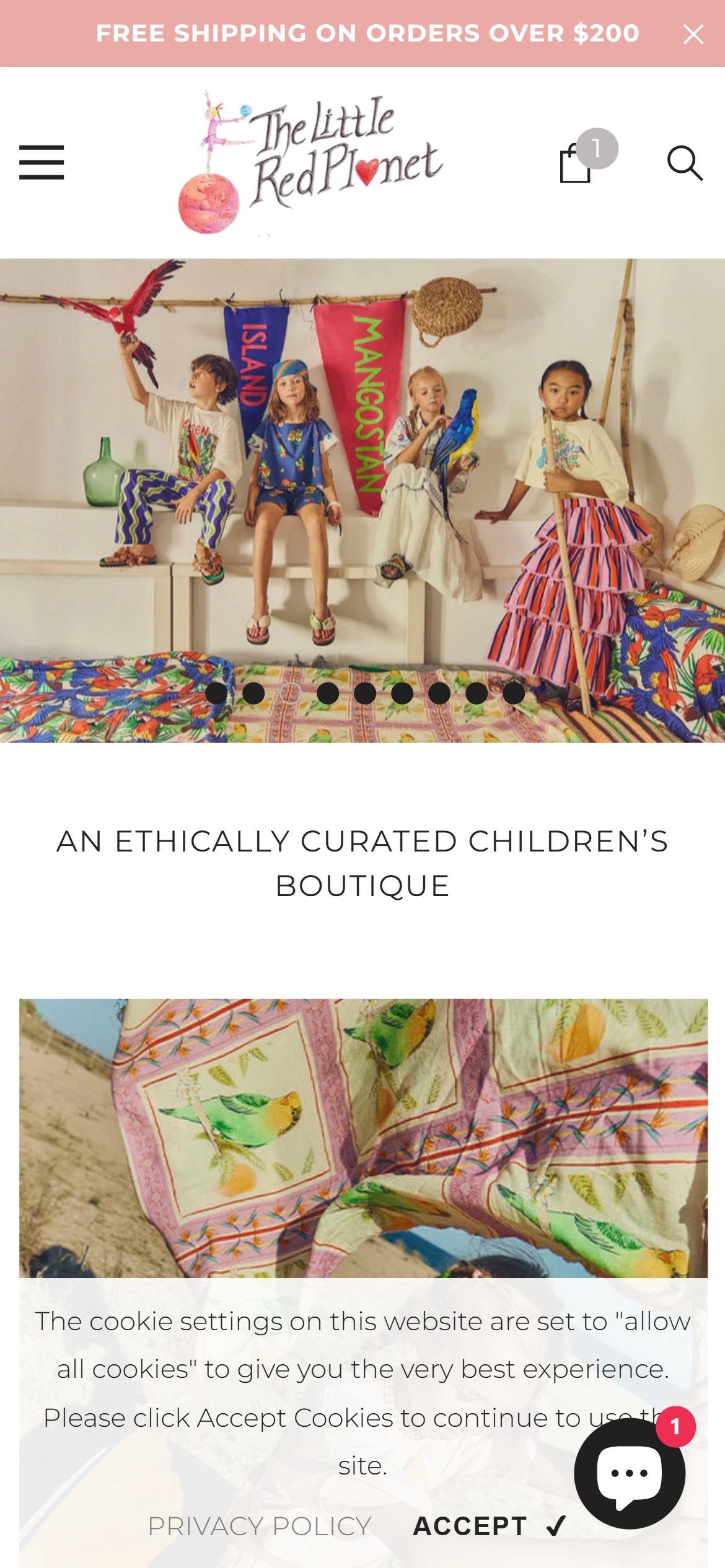

- The homepage hero is a 9-slide image carousel of lifestyle photography with a single caption line ("AN ETHICALLY CURATED CHILDREN'S BOUTIQUE") below it.
- Below the caption, the only interactive elements are four small category image-links (Girls, Baby, Boys, New Arrivals) — none of them read as an action-oriented CTA button.
- There is no button with action text ("Shop Now", "Explore the Collection") anywhere in the hero fold, so a first-time visitor has no obvious next step beyond tapping a photo.
- Premium boutique shoppers arriving from social or search need a confident first action; a decorative hero with no CTA leaves that decision entirely to the visitor.
- Overlay the hero carousel with a headline, one line of supporting copy, and a high-contrast CTA button (e.g. "Shop New Arrivals") that links to the featured collection for that slide.
- Keep the CTA consistent across all 9 slides so the pattern is recognizable regardless of which slide loads first.

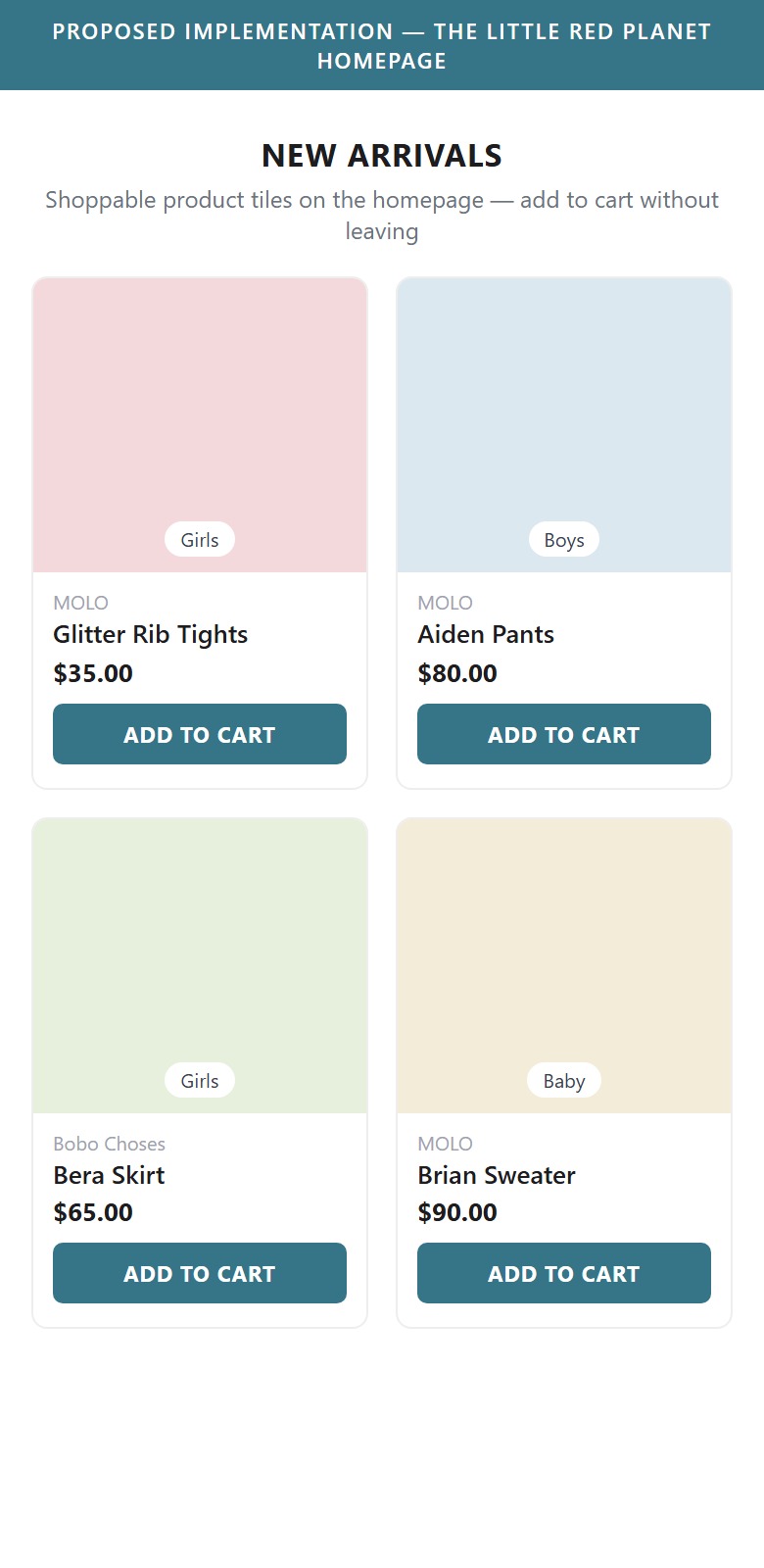
- The homepage is built almost entirely from large full-width category-navigation tiles (Girls, Baby, Boys) — visually rich but requiring several taps before a shopper reaches an actual product.
- There are no product tiles on the homepage, and therefore no way to add an item to cart from the homepage — every path to purchase starts with a category drill-down.
- Dedicating some of that prime homepage real estate to shoppable collection rows (New Arrivals, Bestsellers) with add-to-cart CTAs shortens the path from landing to cart.
- Reduce the size of the category-navigation tiles and add one or two shoppable product rows (e.g. New Arrivals, Bestsellers) with product image, name, price, and an Add to Cart CTA on each tile.
- Let shoppers add to cart directly from the homepage row so a purchase can start without a category drill-down.
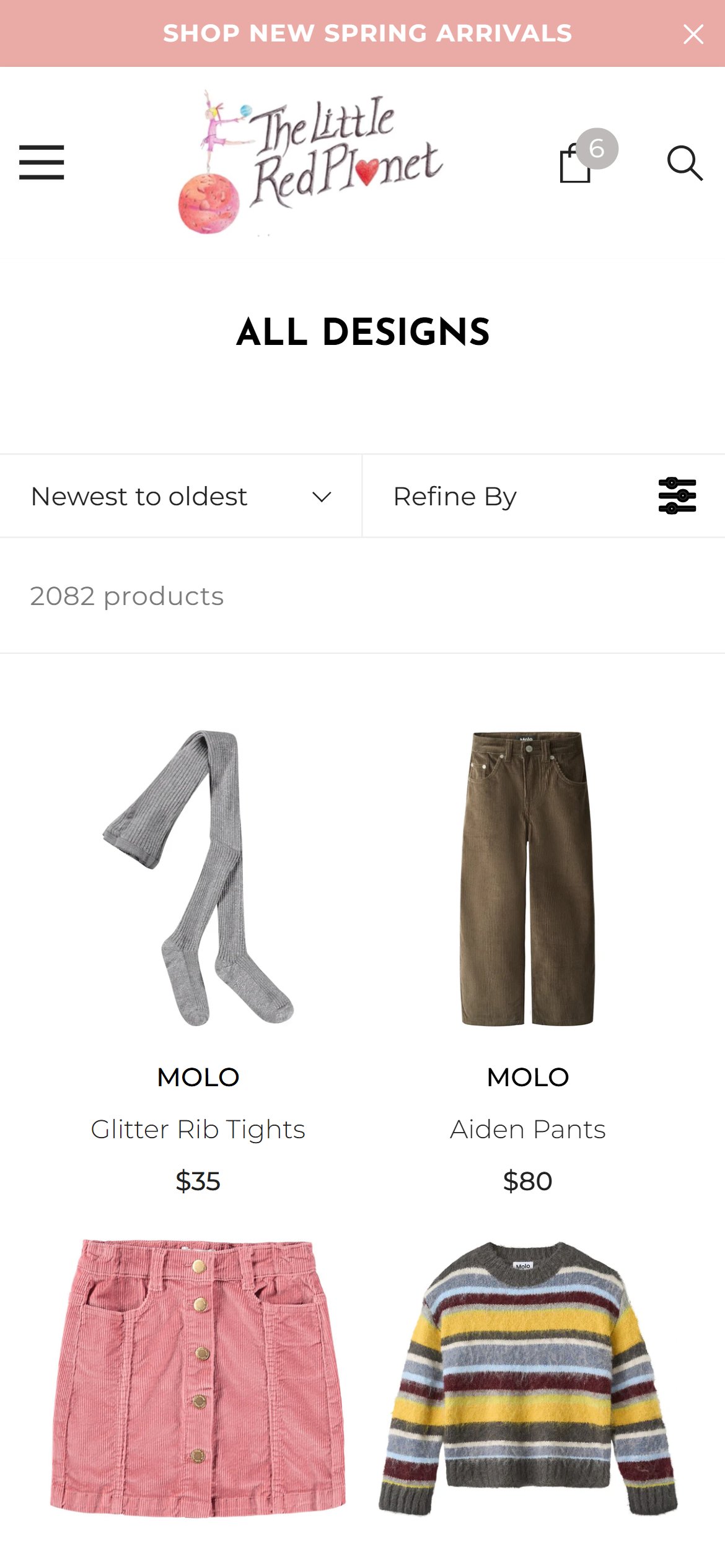
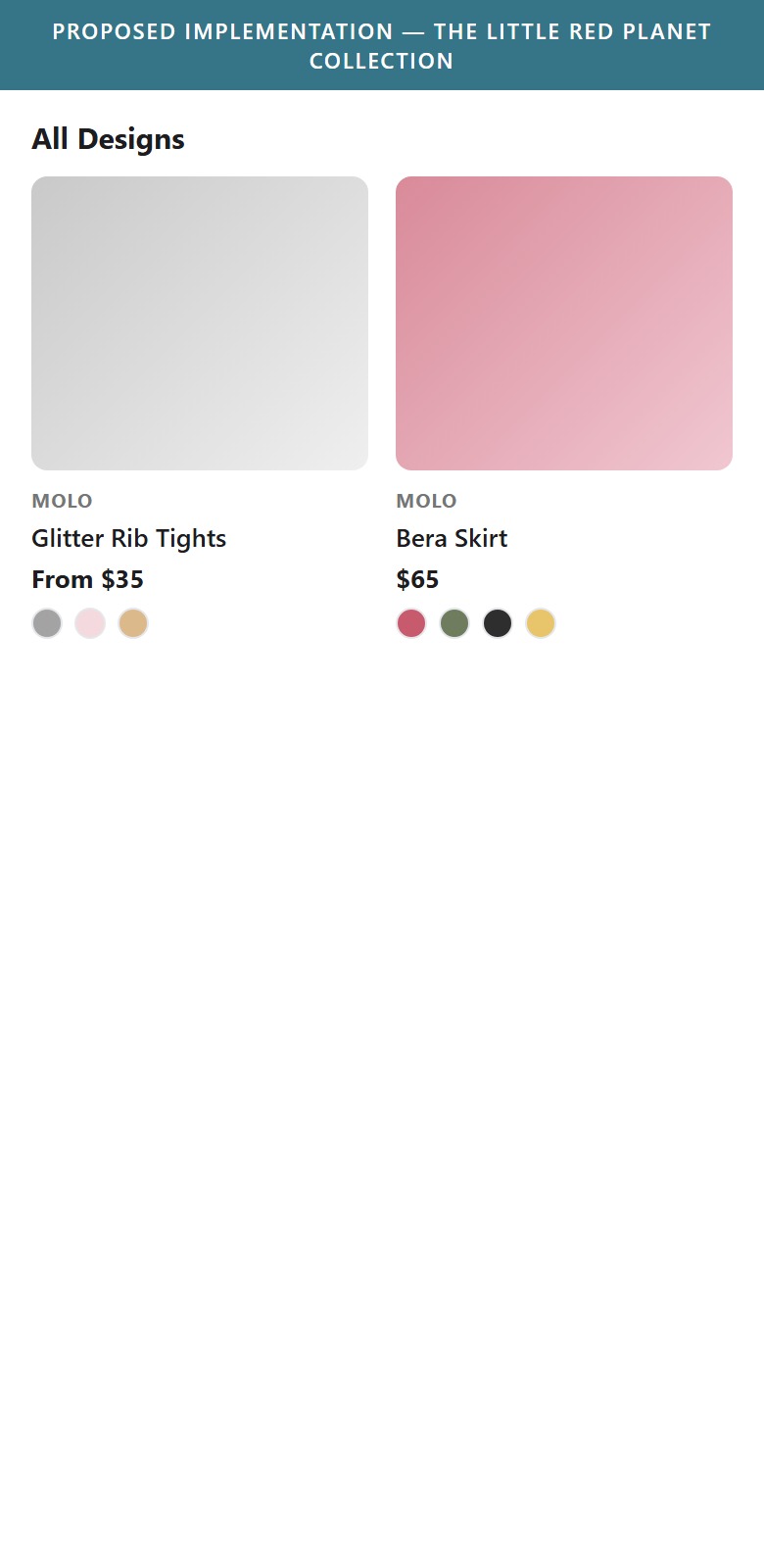
- Product cards on the All Designs collection show only a designer name, product title, and single price — no color swatches, size availability, or "From $X" multi-price indicator.
- Many products in the catalog (like the Glitter Rib Tights shown) have multiple colorways, but the only way to discover this is to open the individual product page.
- Color-swatch previews on collection cards are a common pattern in fashion retail because they let shoppers browse styling options at a glance and reduce unnecessary PDP clicks.
- Add small color swatch circles beneath each product card title, sourced from the product's variant images/options.
- For multi-price products, show "From $X" instead of a single price where variants have different prices.
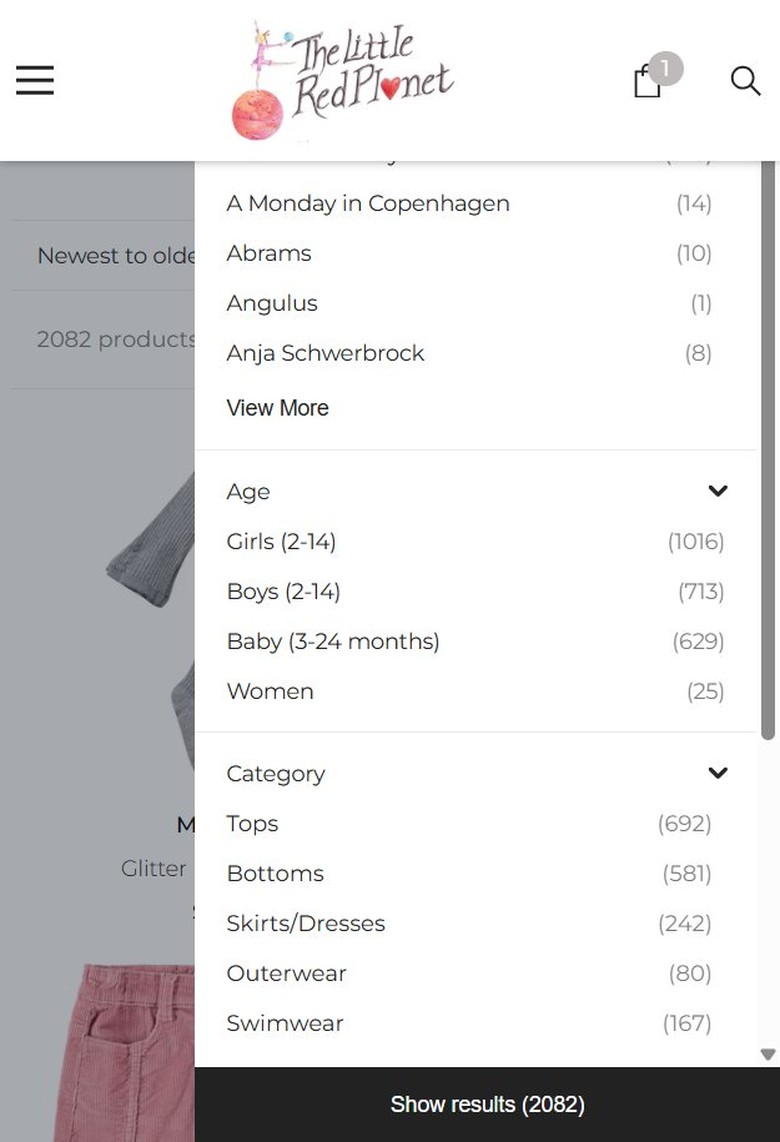
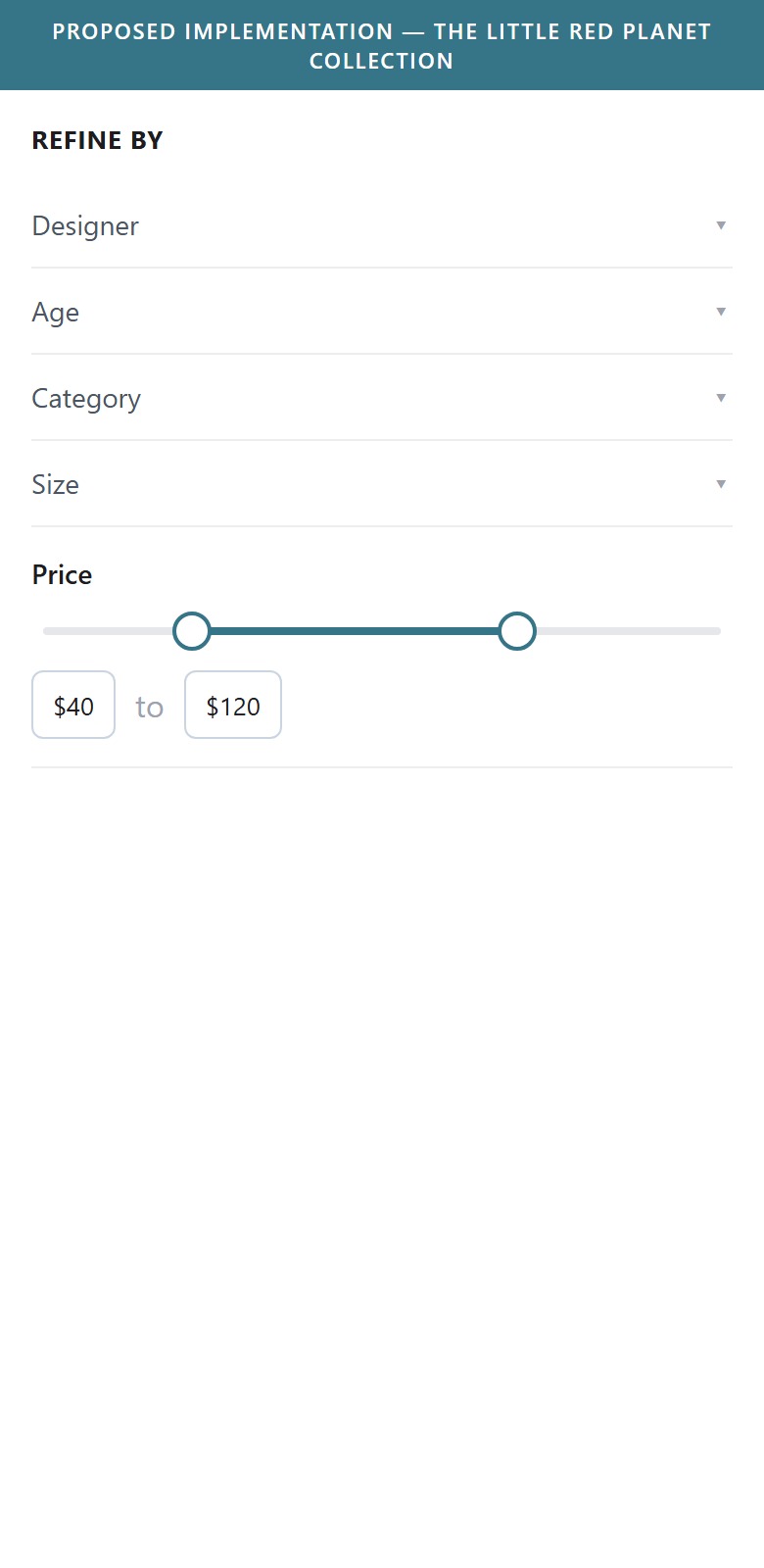
- The Refine By filter drawer includes Designers, Age, Category, and Size sections, but no Price filter of any kind — neither a slider nor fixed price buckets.
- With over 2,000 products ranging roughly from $11 to $174+, shoppers cannot narrow results to their budget without manually scanning every card.
- A price filter is a foundational filtering dimension in fashion e-commerce, especially for a catalog spanning entry-priced accessories through premium designer pieces.
- Add a Price section to the Refine By drawer with either a draggable range slider or min/max input fields.
- Order the Price filter near the top of the drawer alongside Age and Category, since budget is typically a primary decision filter.
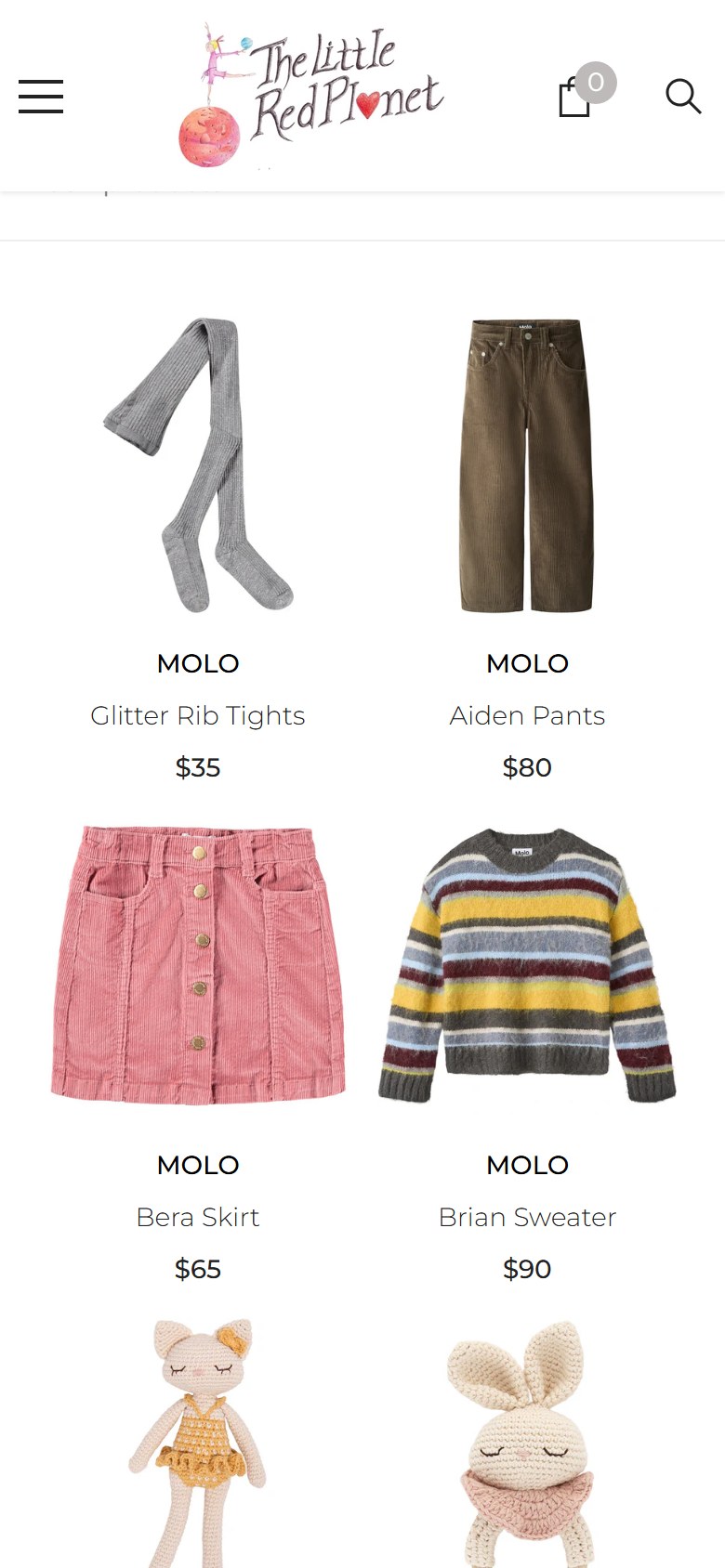
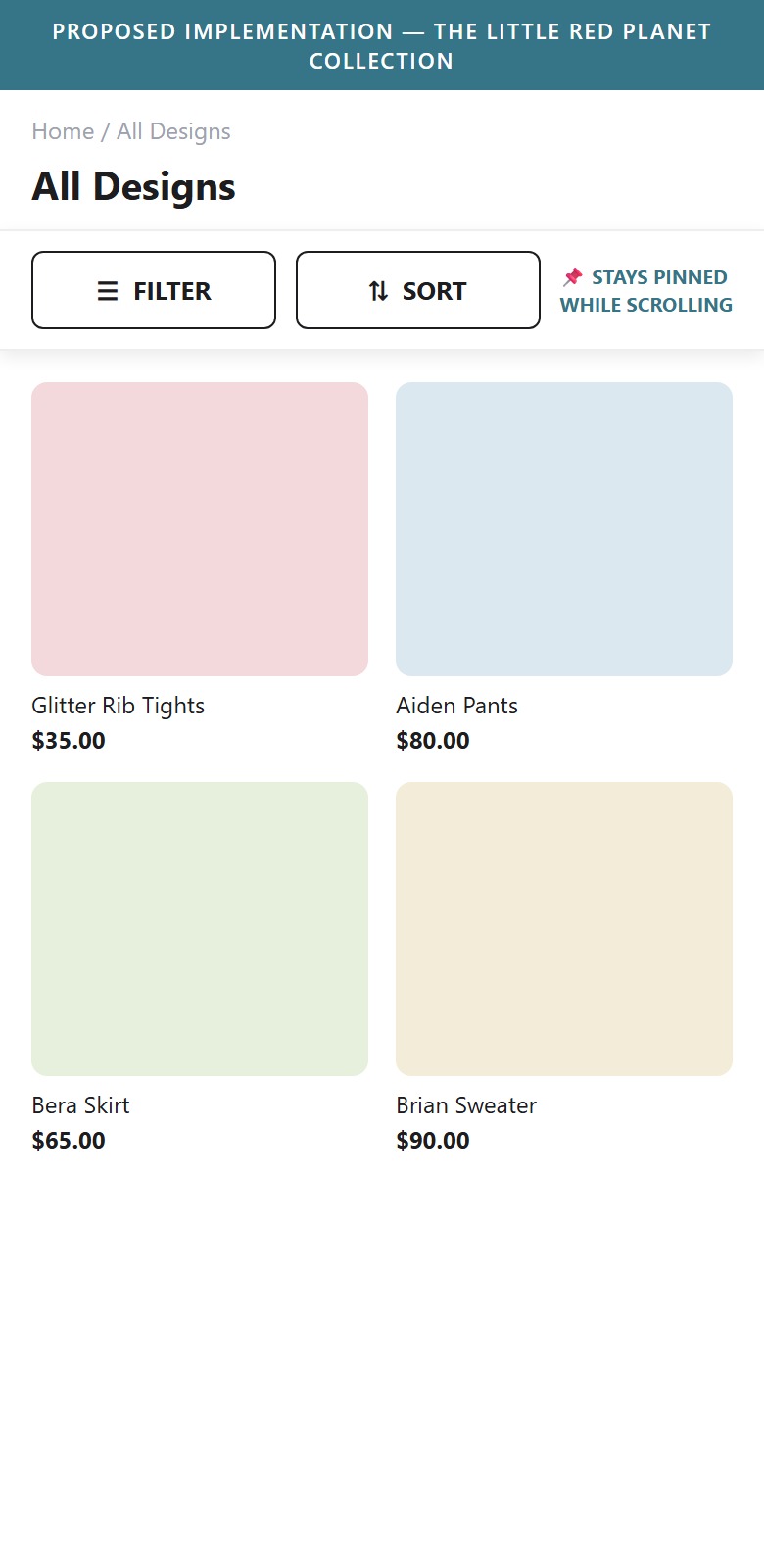
- The collection page has Filter and Sort controls, but they sit at the top of the page and scroll away as the shopper moves down the grid.
- On a long collection, a shopper who wants to refine after scrolling has to scroll all the way back to the top to reach the controls.
- Keeping the Filter and Sort bar pinned to the top while scrolling keeps refinement one tap away throughout the browse.
- Make the Filter and Sort bar sticky (pinned to the top of the viewport) so it remains accessible at any scroll depth.
- Show the active filter/result count in the sticky bar so shoppers keep context while refining.
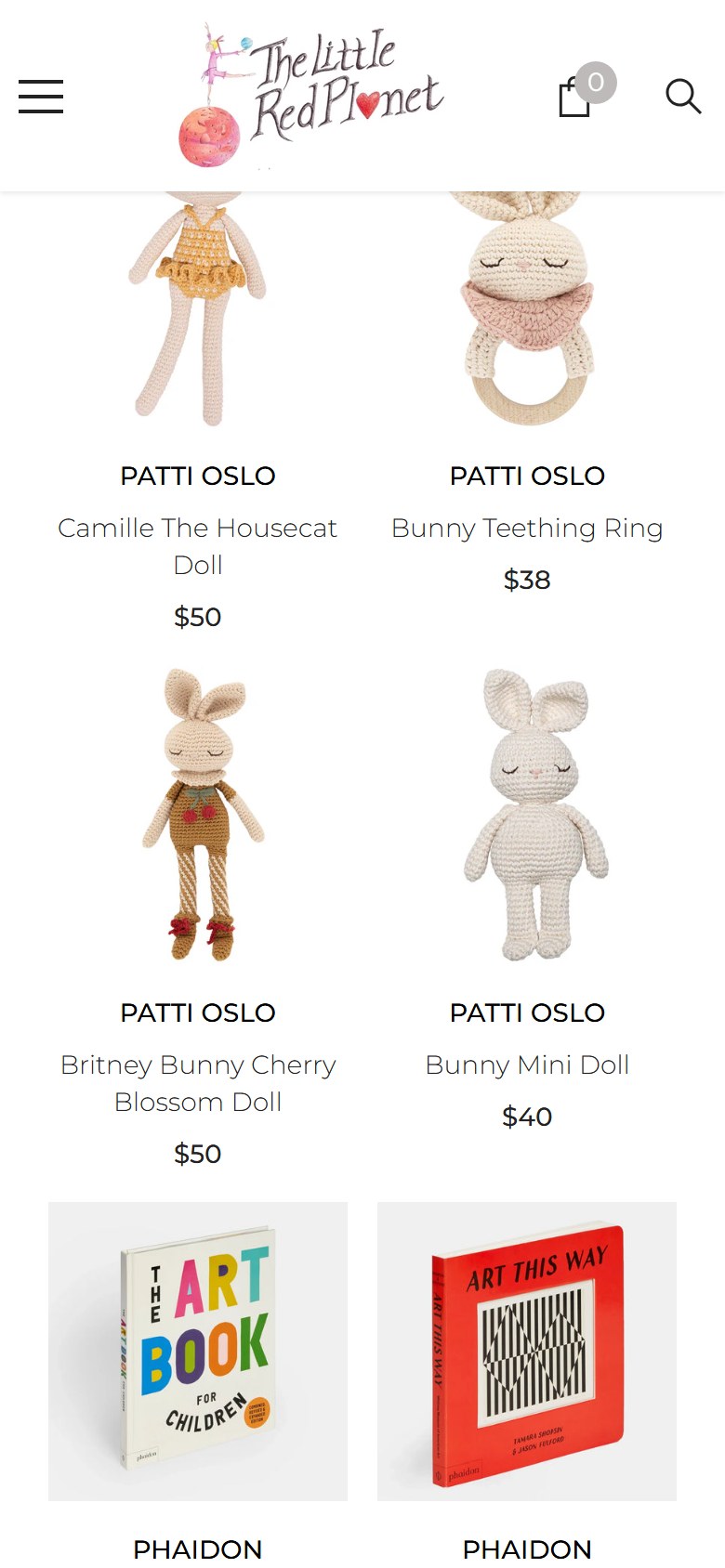
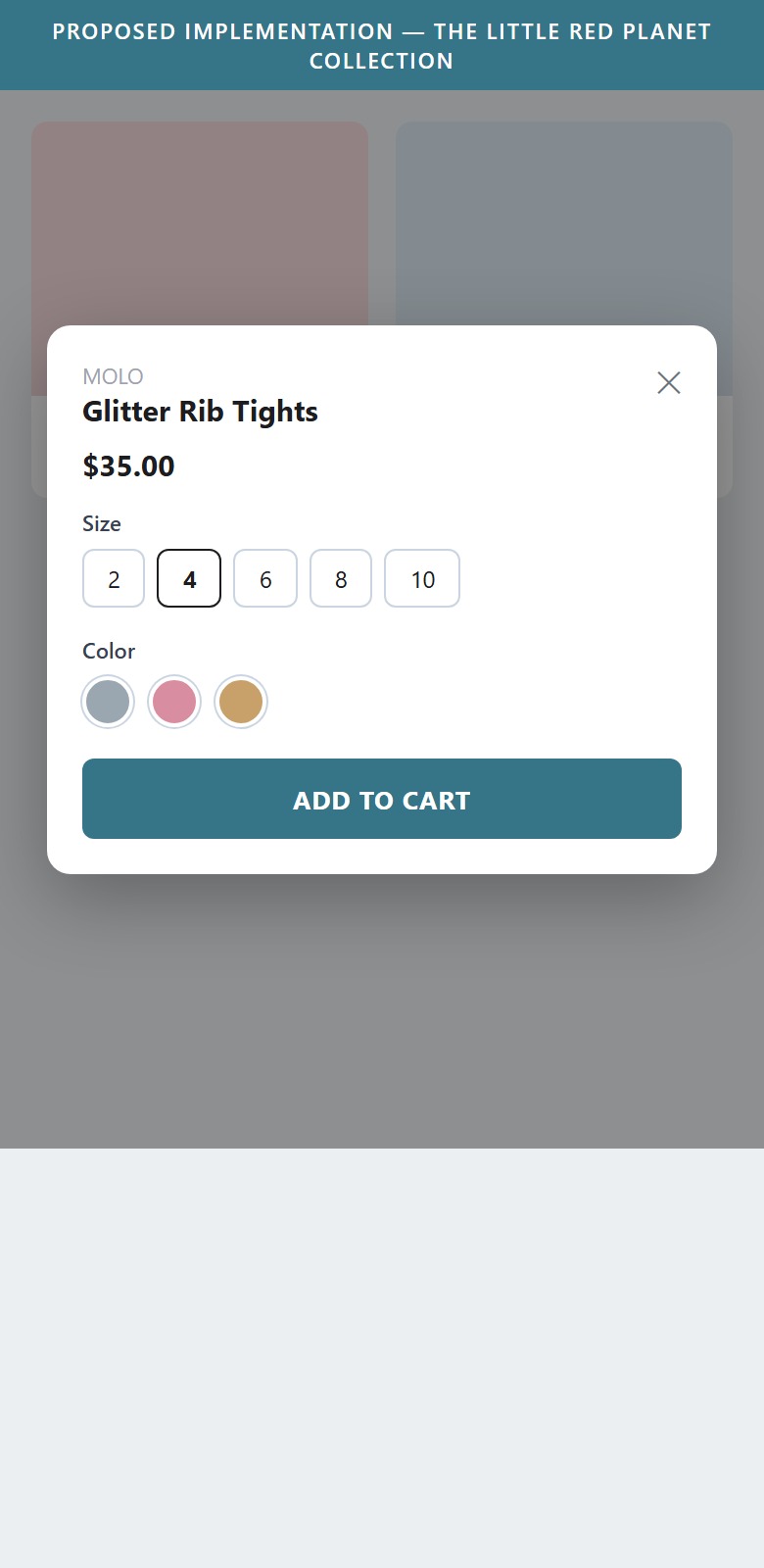
- Collection product tiles show the image, name, and price, but there is no add-to-cart action on the tile and no quick-view — every purchase requires opening the full product page first.
- For a browser comparing several children's items, tapping into each PDP and back is a lot of navigation before anything reaches the cart.
- A Quick Add button that opens a lightweight quick-view (size and color variants) lets shoppers decide and add to cart directly from the collection grid.
- Add a Quick Add button on each product tile that opens a quick-view modal with the size and color variant selectors.
- Let shoppers choose a variant and add to cart from the modal, without leaving the collection page.
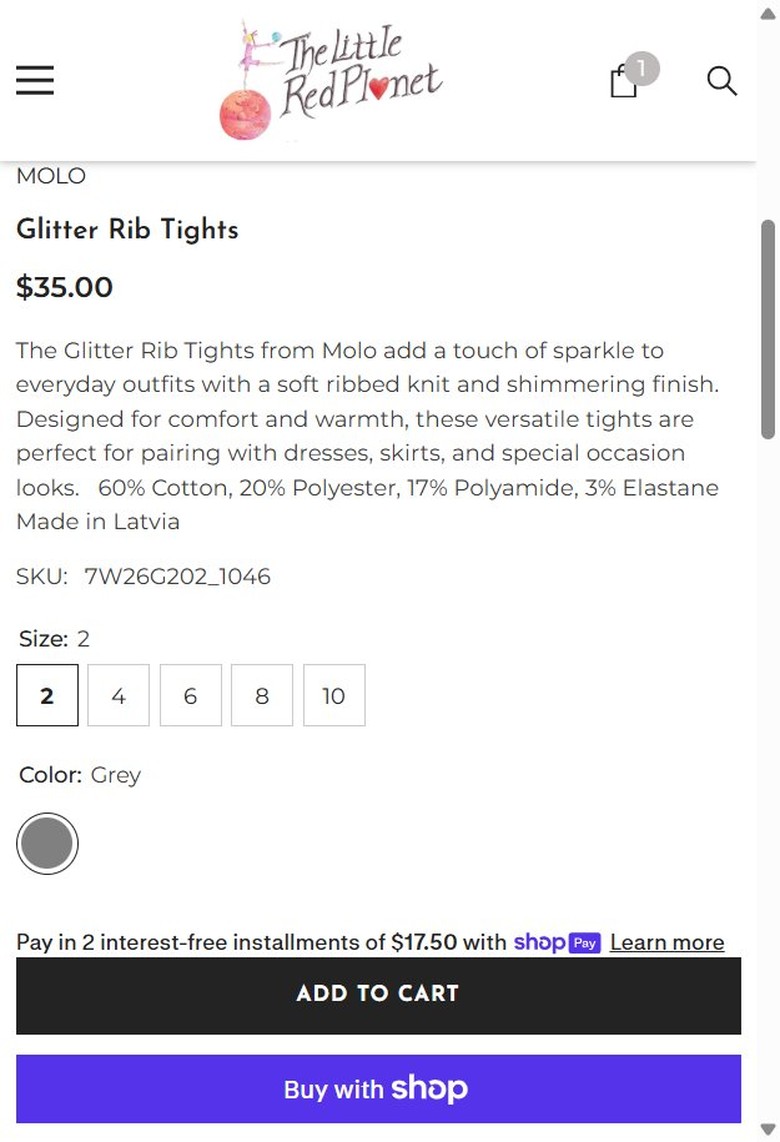
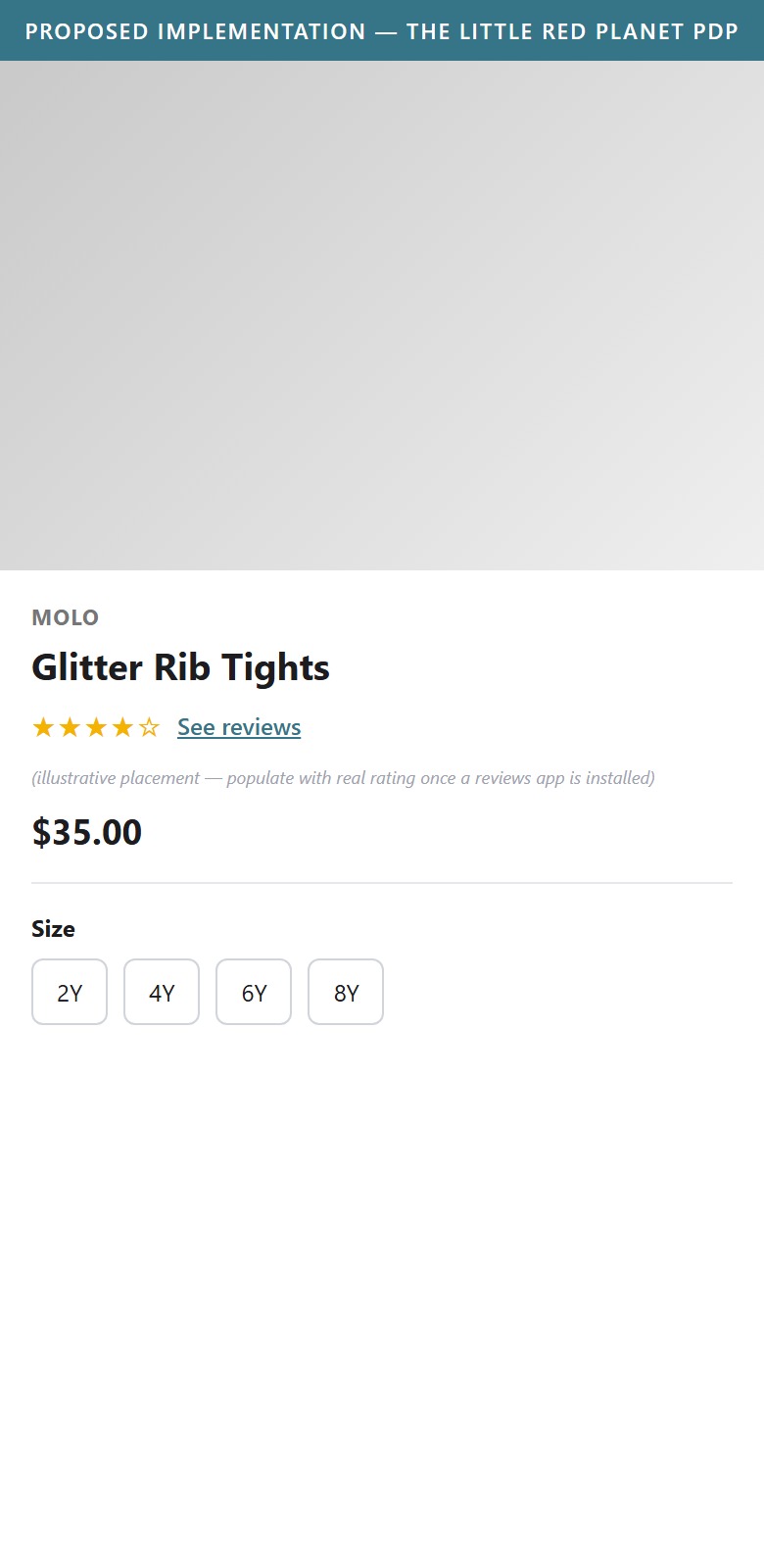
- The product page shows the image gallery, brand name, product title, and price with no star rating or review count anywhere above the fold.
- Scrolling the full page confirms there is no review system integrated on the PDP at all — not above the fold, not below it.
- For premium-priced children's fashion where fit and quality drive hesitation, the absence of any visible rating signal at the point of decision removes a key trust cue.
- Install a reviews app (e.g. Judge.me or Loox) and surface the star rating + review count directly under the product title, before the price.
- Make the rating clickable so it jumps to a reviews section further down the page.
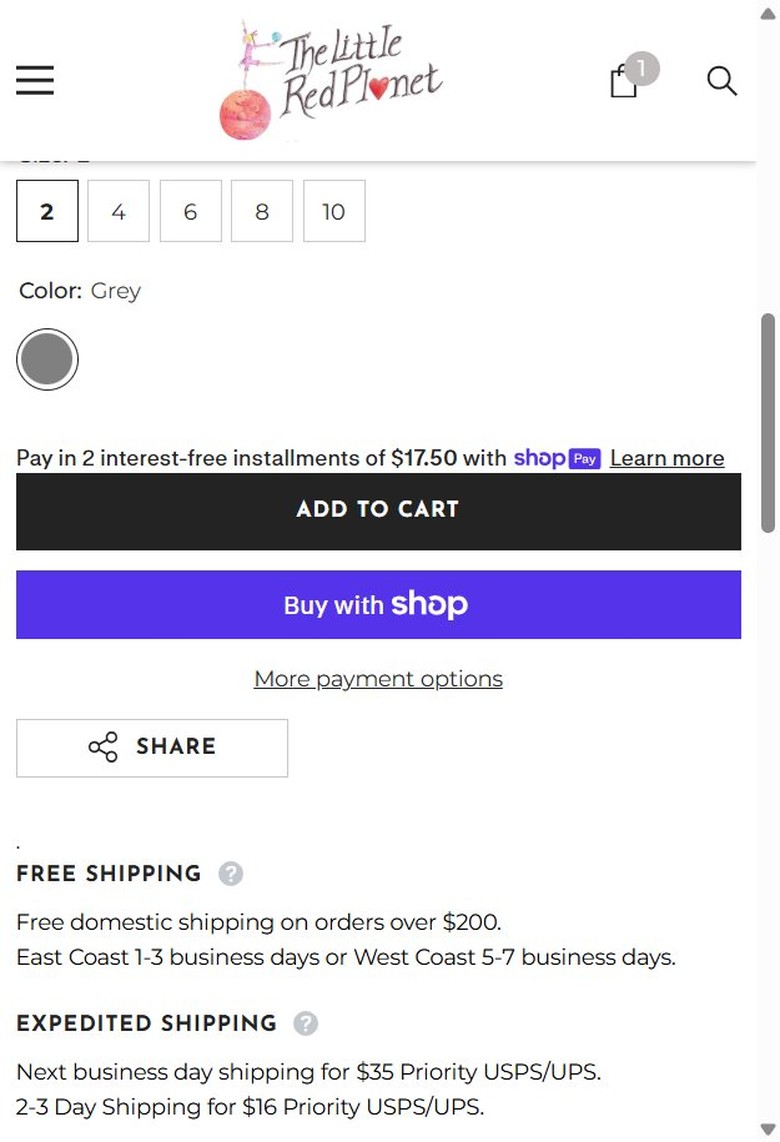
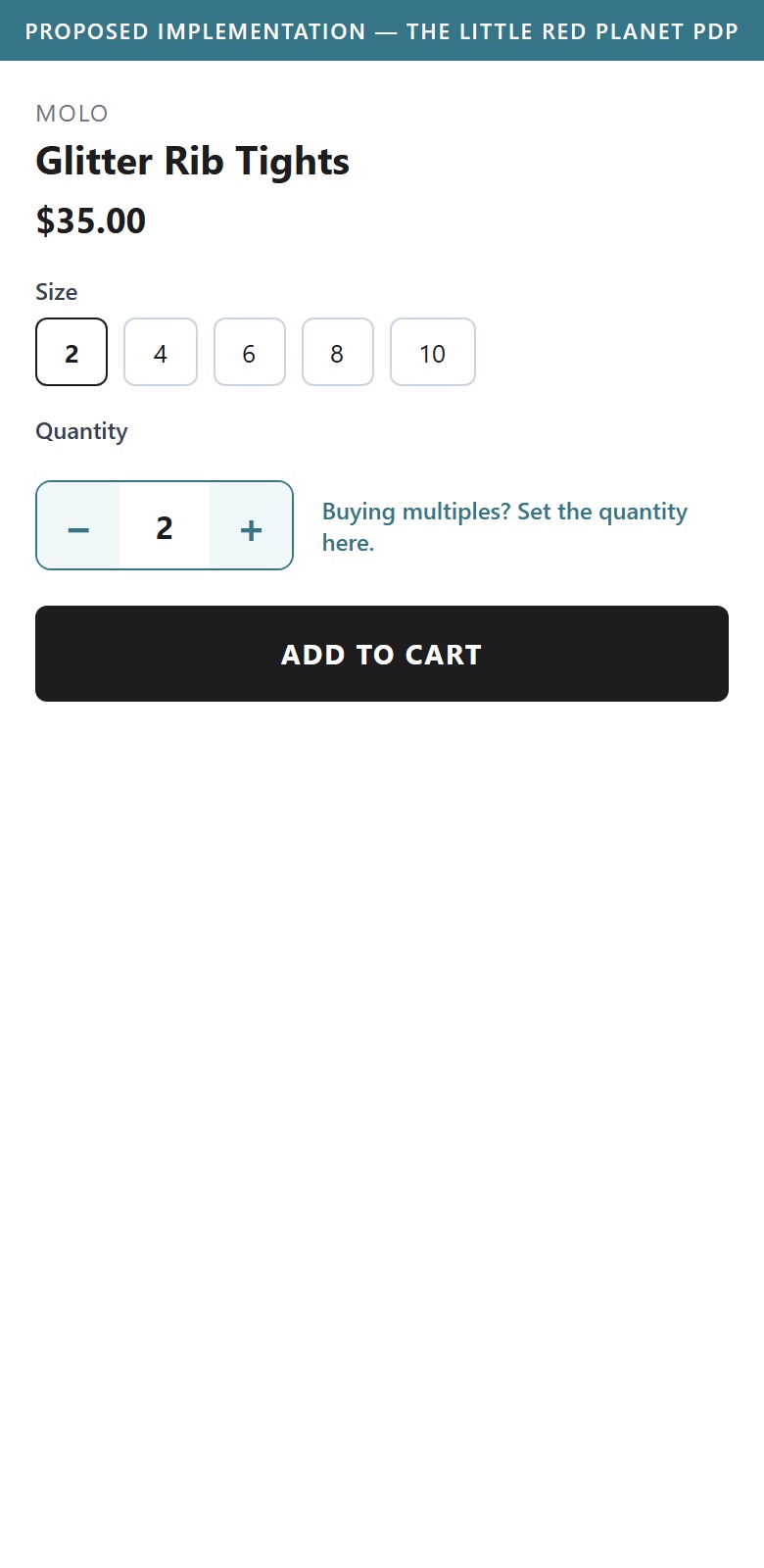
- The purchase area shows size pills, a color swatch, Shop Pay installment messaging, Add to Cart, and Buy with Shop — but no quantity input or +/- stepper.
- A shopper wanting two of the same size/color (common for kids' basics like tights or socks) must add to cart once and then adjust quantity on the cart page instead.
- A quantity selector on the PDP removes an extra step for repeat-item purchases, which is common for children's wardrobe basics.
- Add a quantity +/- stepper next to the Add to Cart button, defaulting to 1.
- Carry the selected quantity through to the Add to Cart action so it matches what lands in cart.
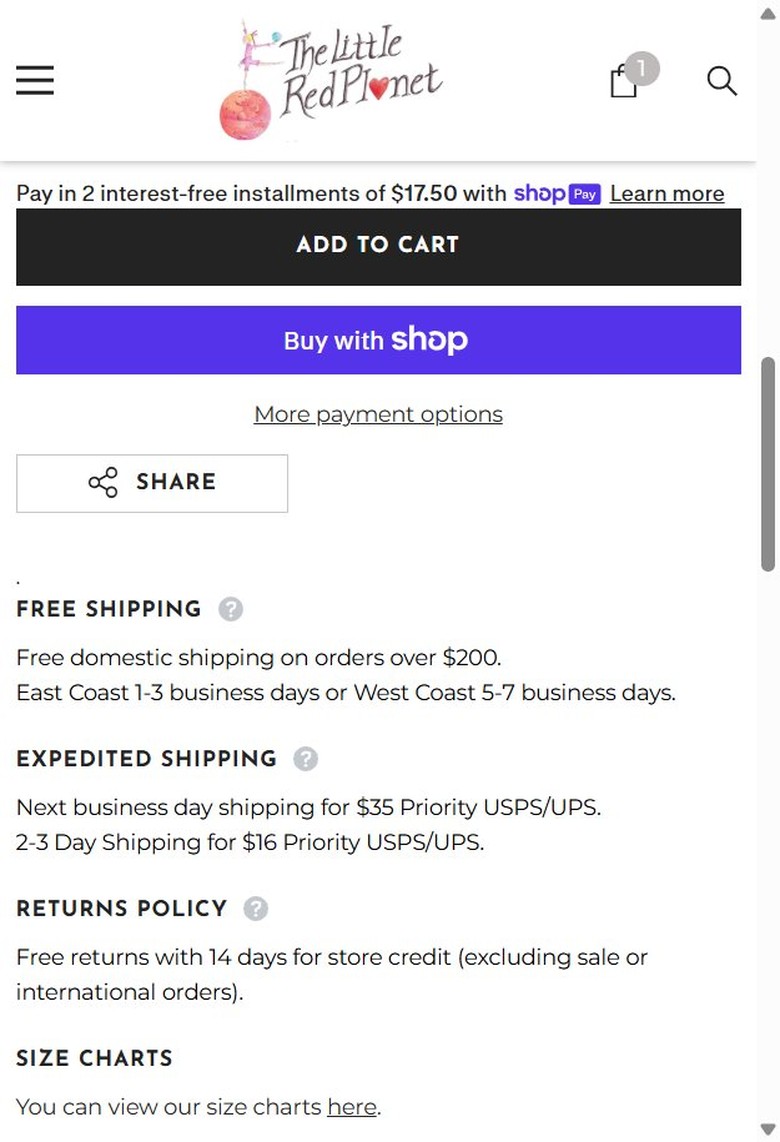
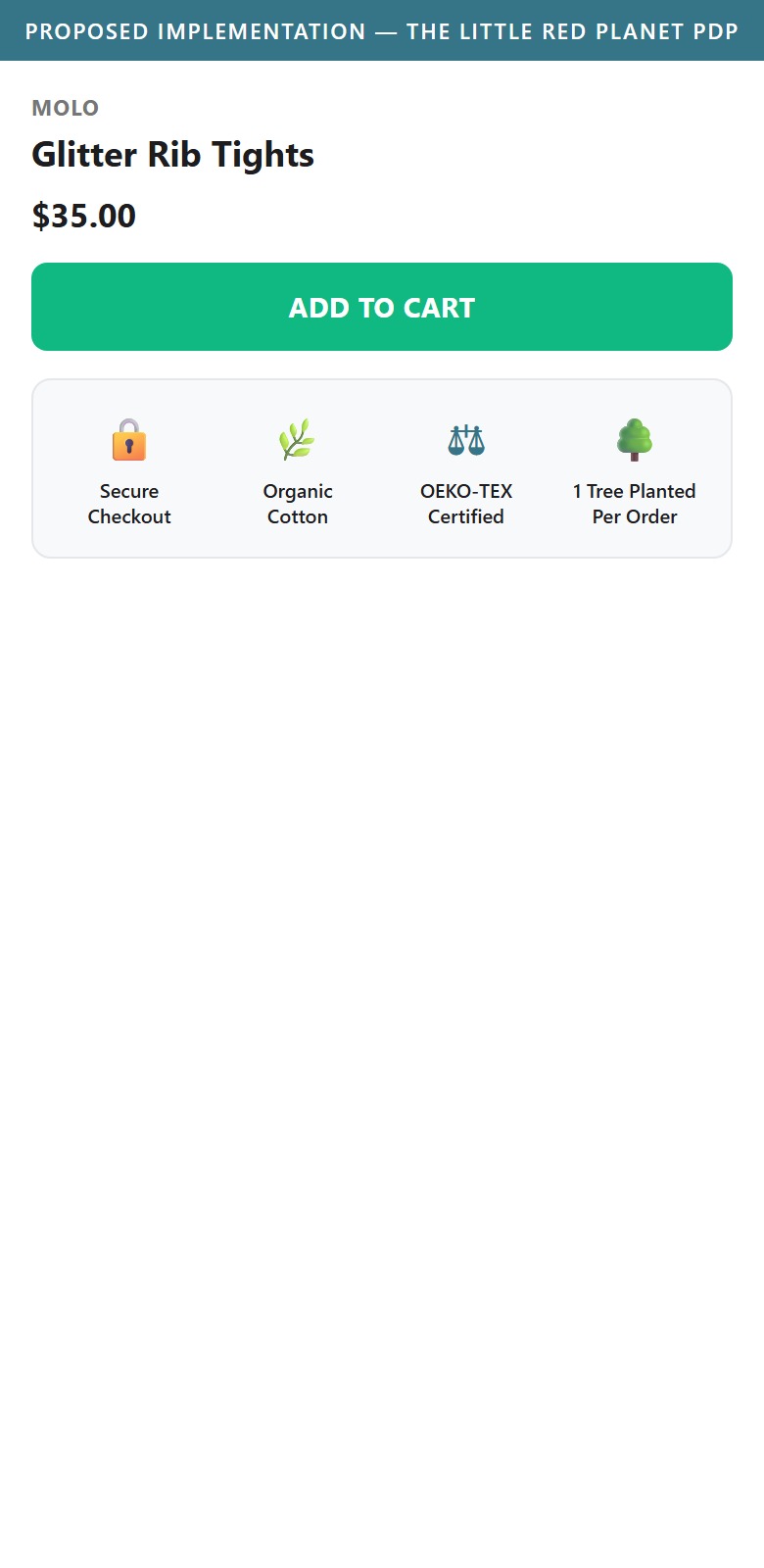
- The zone between the Add to Cart button and the Related Products section contains only text headings (Free Shipping, Expedited Shipping, Returns Policy, Size Charts) — no iconographic trust or certification badges.
- The brand's sustainability story (organic cotton, OEKO-Tex certification, ethical production) is described elsewhere on the site but is not visually reinforced as a badge at the point of purchase decision.
- For a premium-priced, values-driven brand, icon-style trust badges (secure checkout, certified materials, easy returns) near Add to Cart reinforce the buying decision exactly when hesitation is highest.
- Add a row of 3-4 icon badges directly below Add to Cart: secure checkout, OEKO-Tex/organic certification, and easy returns.
- Pull the sustainability messaging already used on the homepage into a compact badge format for the PDP purchase zone.
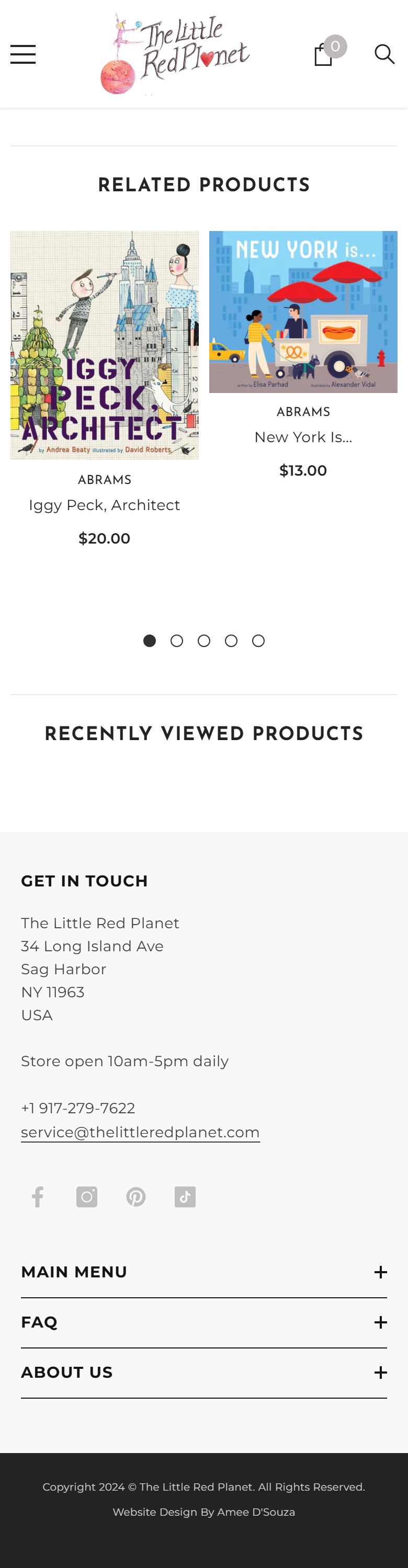
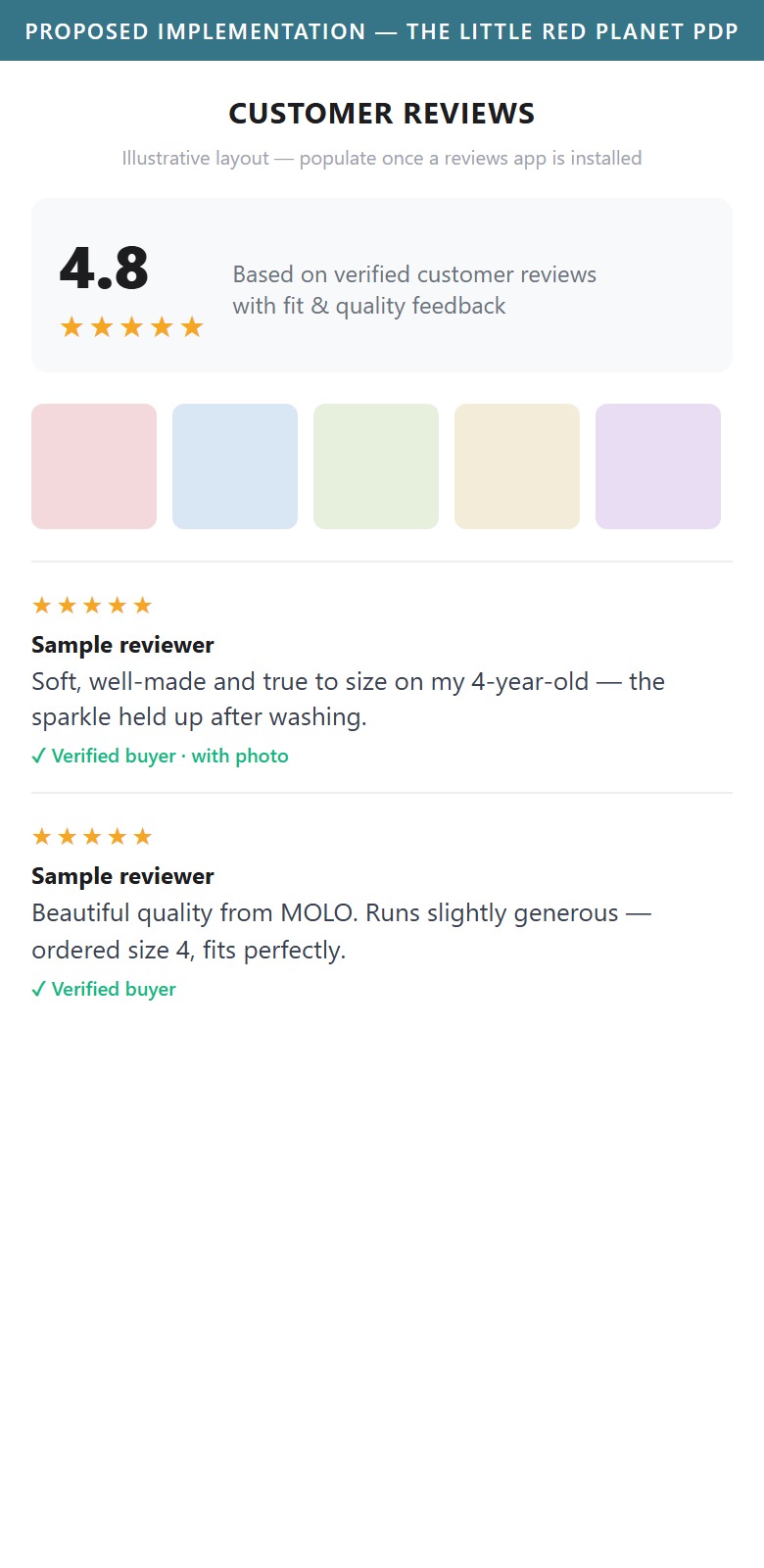
- Scrolling the full PDP goes straight from the Size Charts link into Related Products and Recently Viewed Products — there is no reviews section, no star ratings, and no customer photos anywhere on the page.
- This matches the homepage finding: no review system appears to be installed anywhere on the site.
- For children's fashion, fit and quality concerns are the top purchase objections — customer reviews (especially with photos showing true-to-size fit) are one of the most effective ways to resolve that hesitation without a return.
- Install a reviews app that supports customer photo uploads (e.g. Judge.me, Loox) and add a dedicated reviews section below Related Products.
- Encourage photo reviews via post-purchase email requests, since fit-focused photo reviews carry outsized trust value for children's clothing.
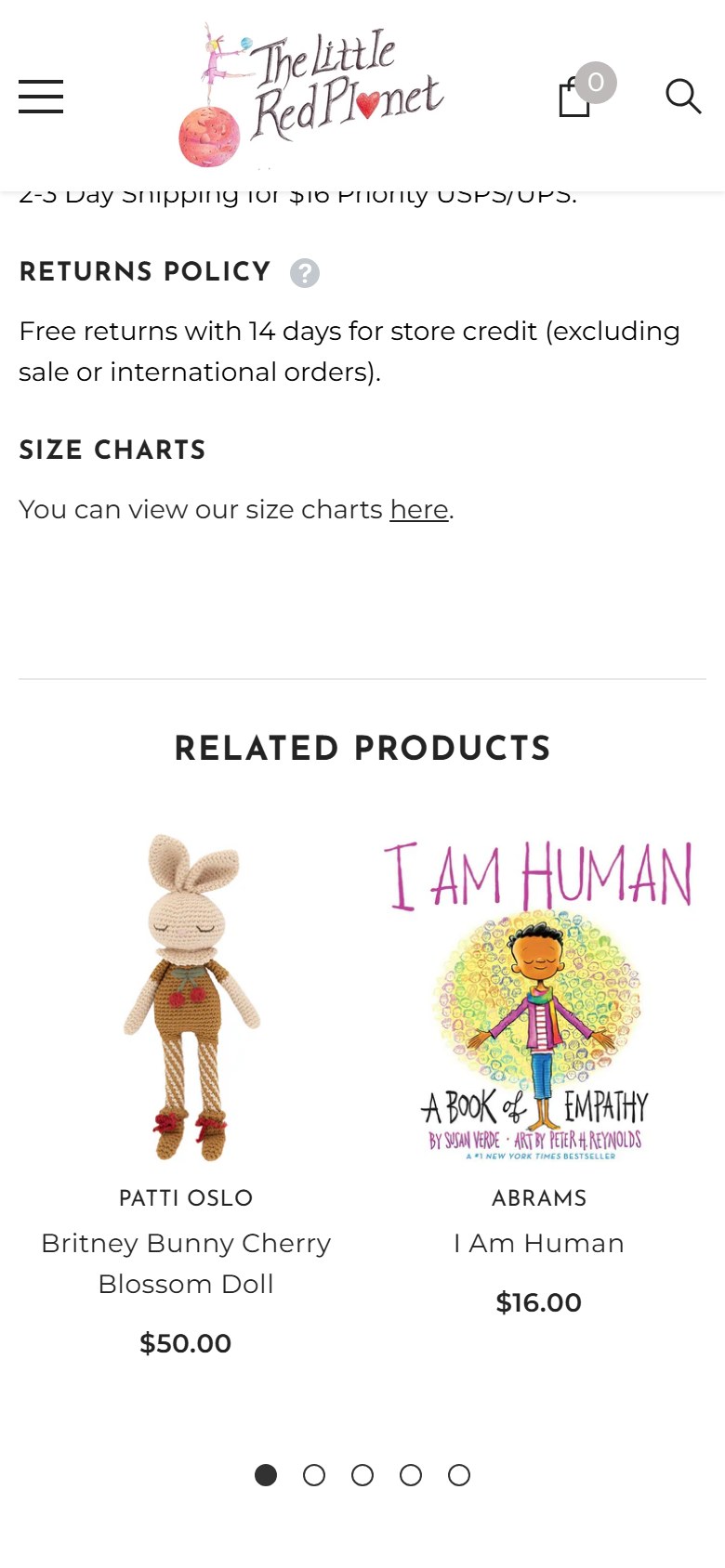
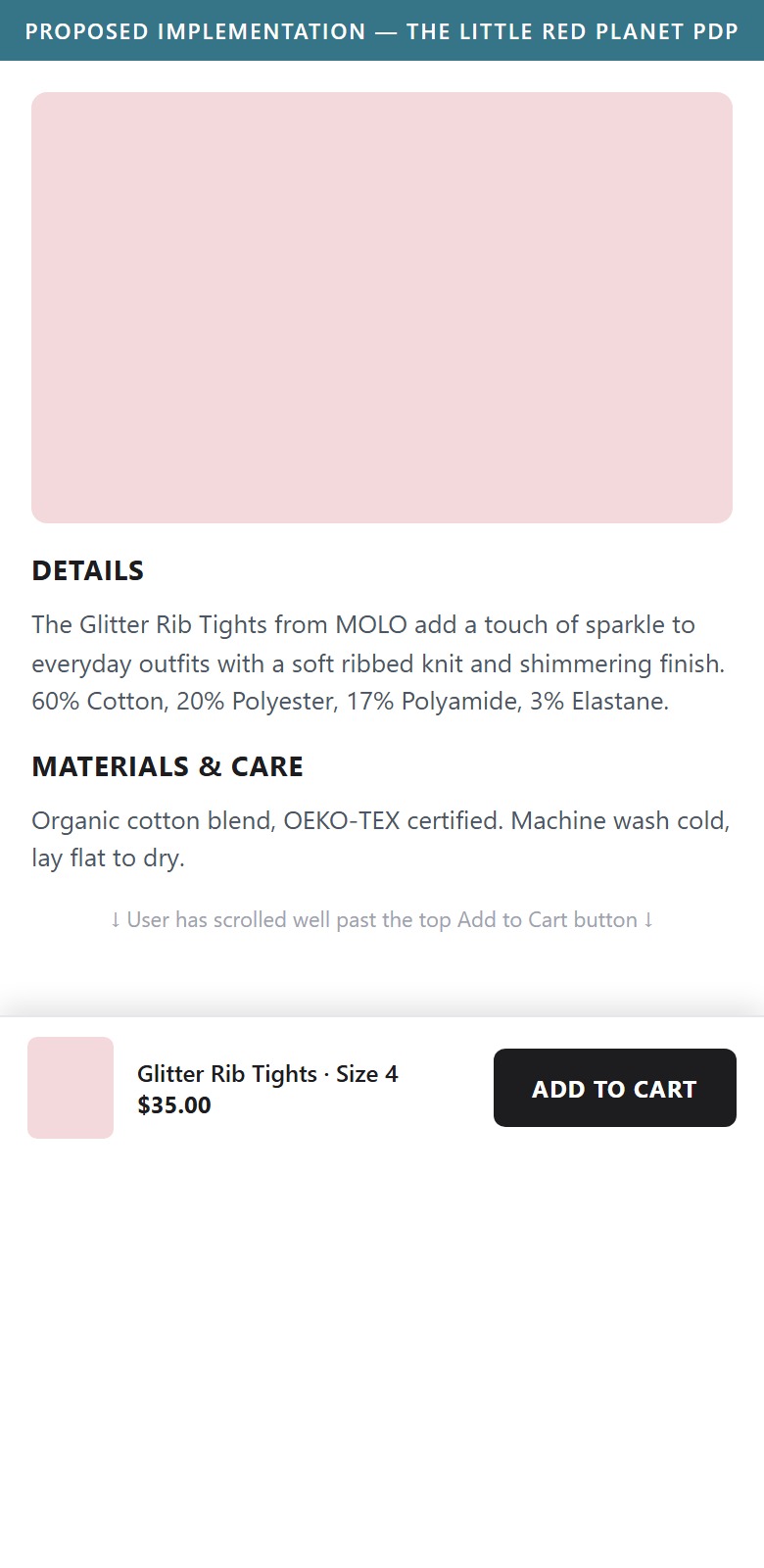
- On the mobile product page, the Add to Cart button sits near the top; once the shopper scrolls down through the description, materials, and shipping details it scrolls out of view.
- There is no persistent Add to Cart bar, so a shopper who has read down the page must scroll back up to buy.
- A sticky Add to Cart bar (product name, price, and Add to Cart) keeps the primary conversion action one tap away throughout the scroll — a meaningful lift lever on mobile.
- Add a sticky bottom Add to Cart bar on mobile PDPs showing the product name, selected size, price, and an Add to Cart button.
- Keep it in sync with the size/quantity selection above so it adds the correct variant.
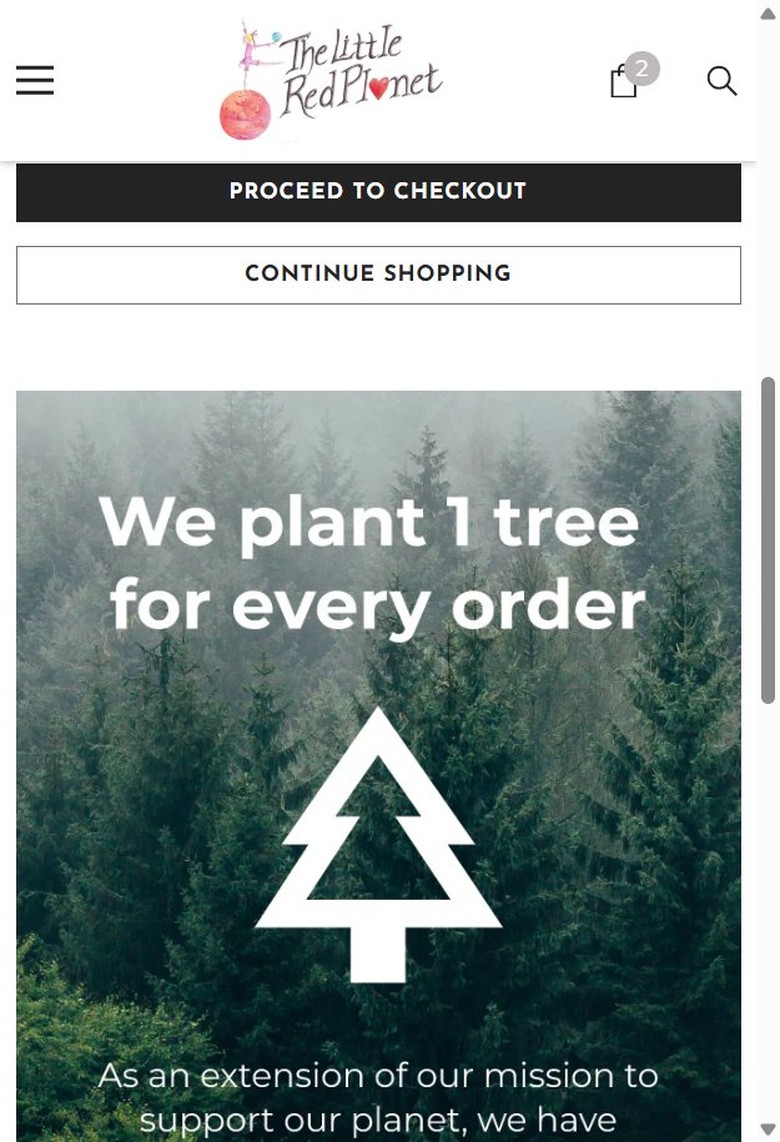
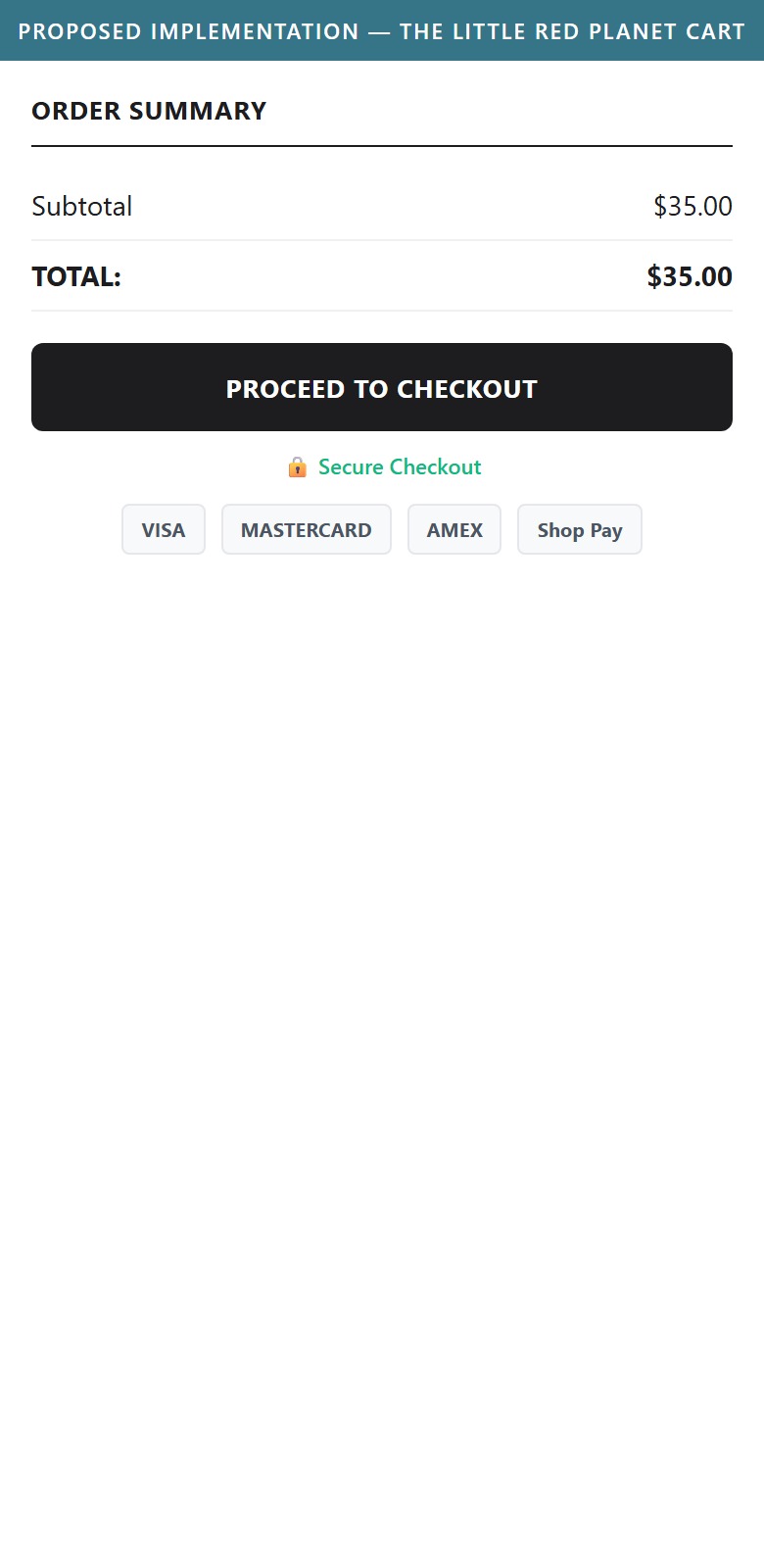
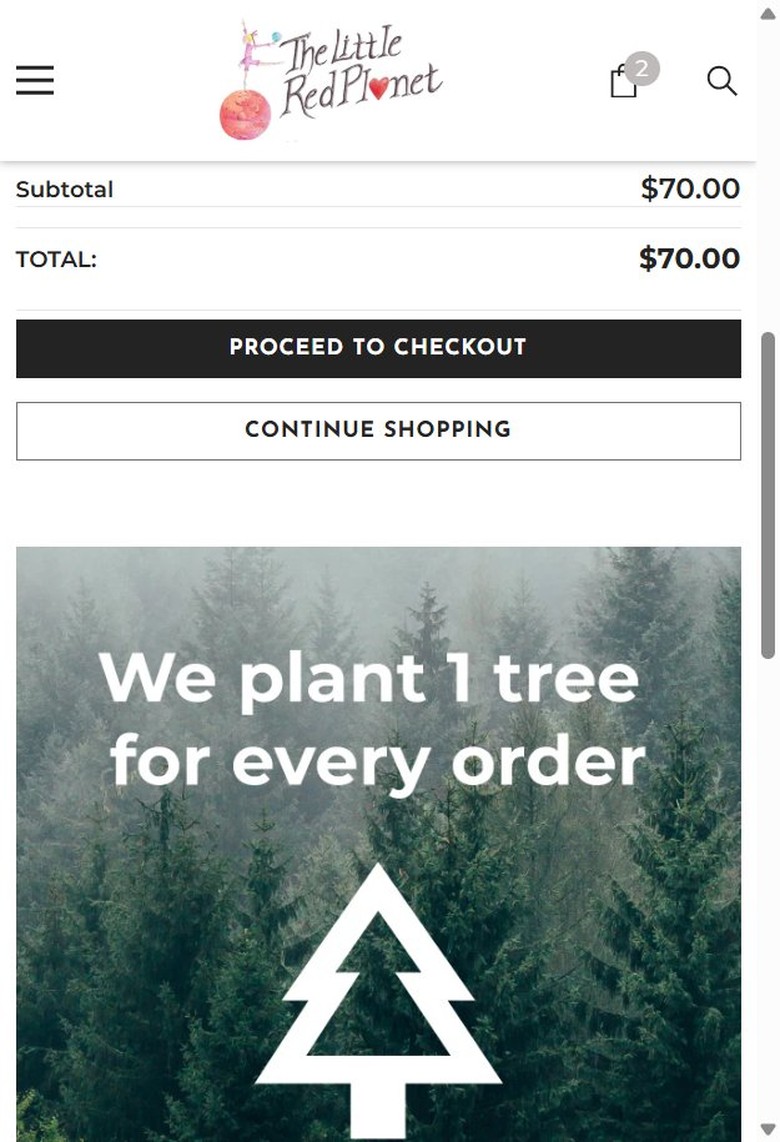
- The Order Summary directly above the Proceed to Checkout button shows only Subtotal and Total — no payment method icons, no secure-checkout lock badge, no guarantee text of any kind.
- This was verified with an item seeded in the actual cart (not an empty cart), on the full /cart page.
- The checkout button sits alone with zero trust reinforcement at the exact moment a shopper commits to paying.
- Add a row of accepted payment method icons (Visa, Mastercard, Amex, Shop Pay) directly above or below the Proceed to Checkout button.
- Add a small secure-checkout lock icon with brief reassurance text ("Secure Checkout") next to the button.
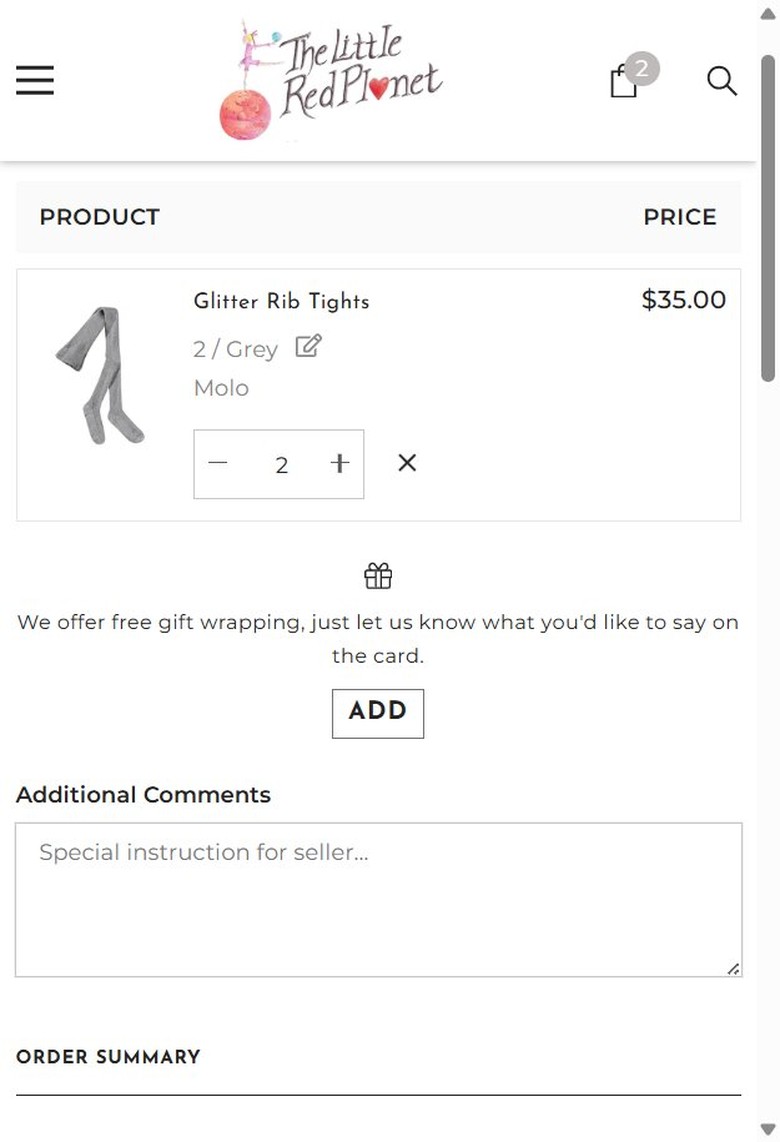
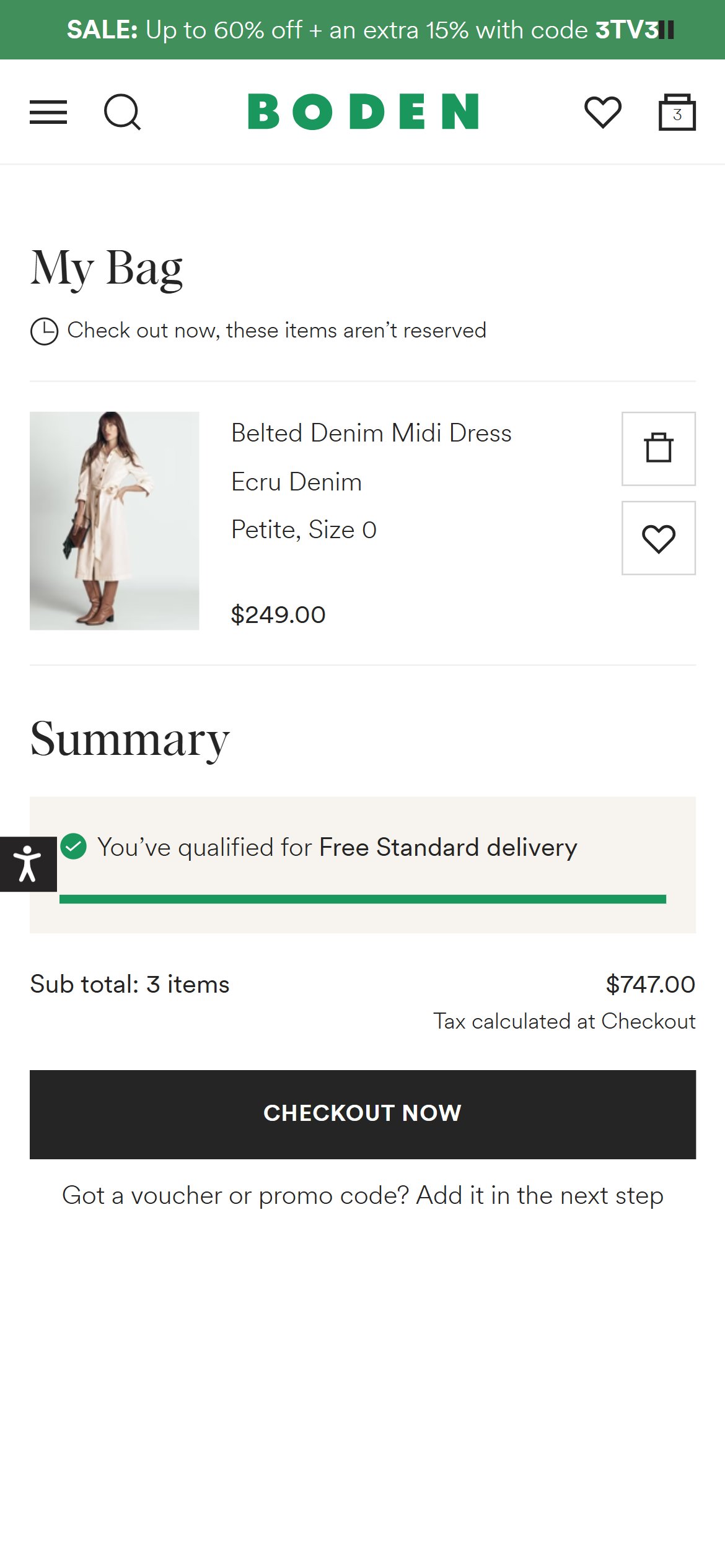
- The site announcement bar states "FREE SHIPPING ON ORDERS OVER $200", but the cart itself — with a $35 item in it — shows no progress bar or reminder of that threshold anywhere in the Order Summary.
- A shopper at $35 has no visual cue of how much more to add to unlock free shipping, so the incentive from the announcement bar is lost by the time they reach cart.
- A visual progress indicator toward a free-shipping threshold is one of the most effective low-effort nudges to increase order value in cart.
- Add a progress bar in the cart showing "$165 away from free shipping" that updates live as items are added.
- Pair the progress bar with a relevant cross-sell suggestion (accessories, basics) to help shoppers close the gap.
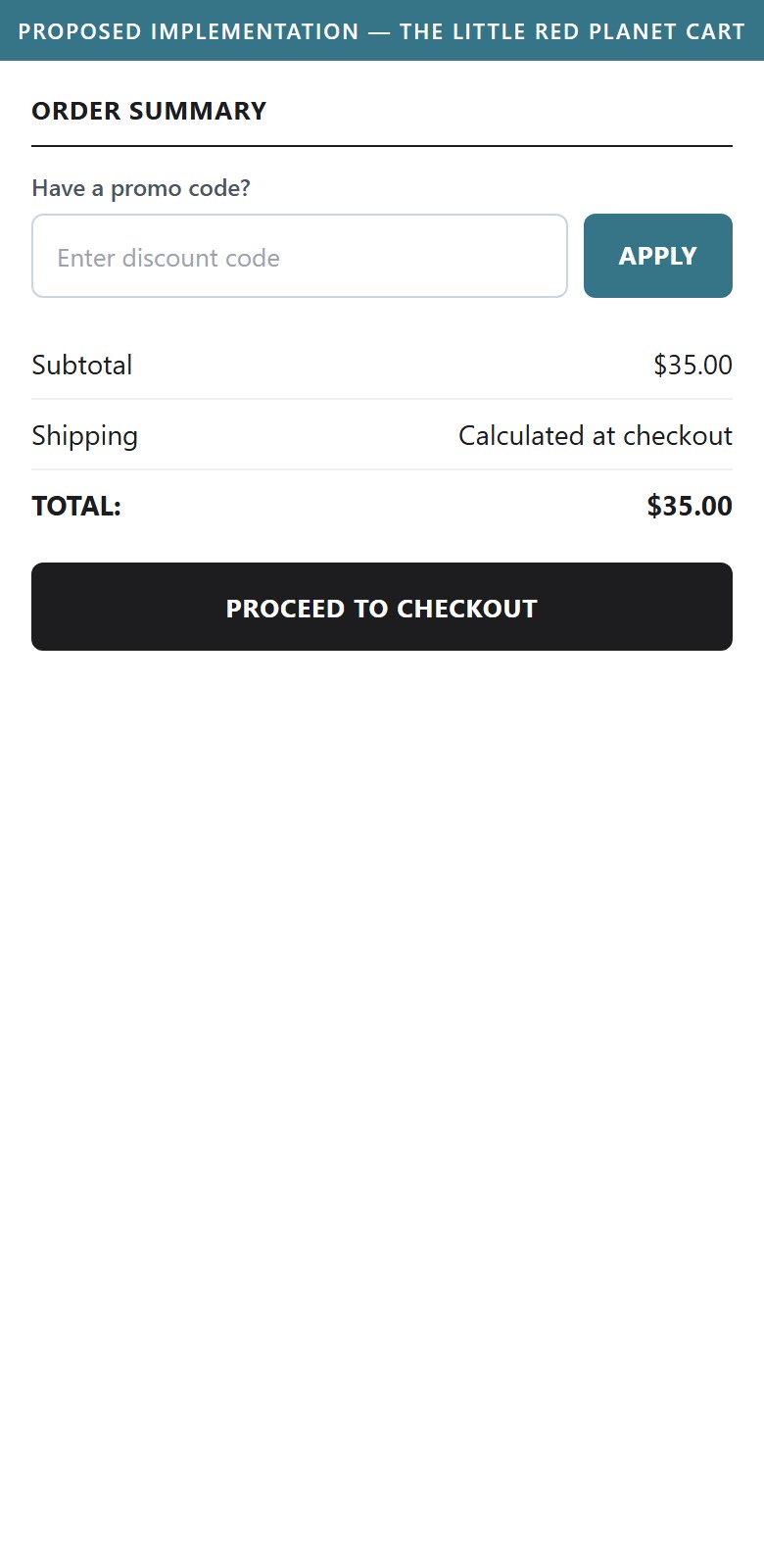
- The cart Order Summary goes straight from Subtotal to Total with no coupon or discount code input field anywhere on the page.
- The site actively promotes a first-order discount via its email popup, but there is no obvious place in the cart to enter that code — a shopper with a code has to guess where to apply it at checkout.
- A visible (or collapsed "Have a code?") coupon field in cart removes friction for a promotion the site is already running.
- Add a collapsed "Have a promo code?" link in the Order Summary that expands into an input field, so it doesn't clutter the cart by default.
- Confirm the applied discount and updated total directly in the Order Summary once a valid code is entered.
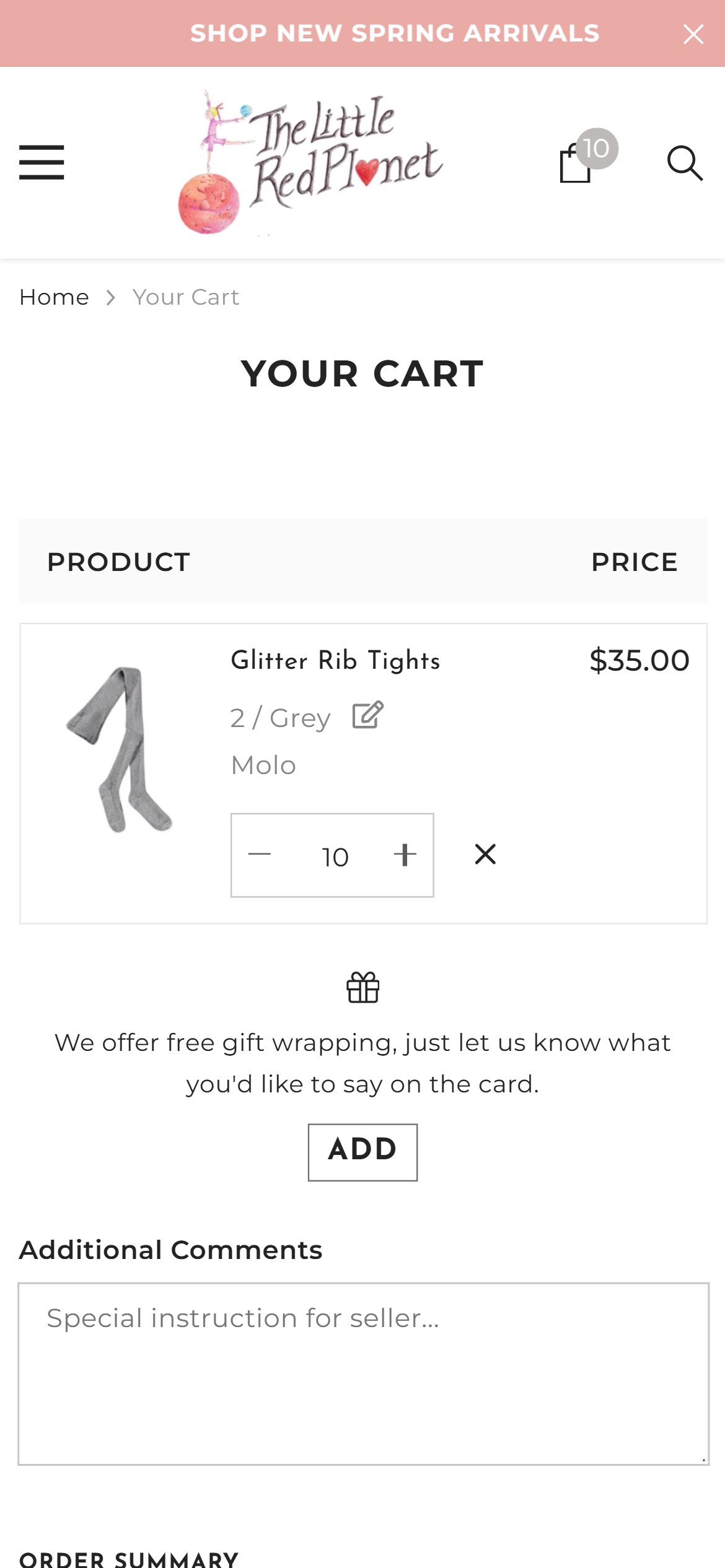
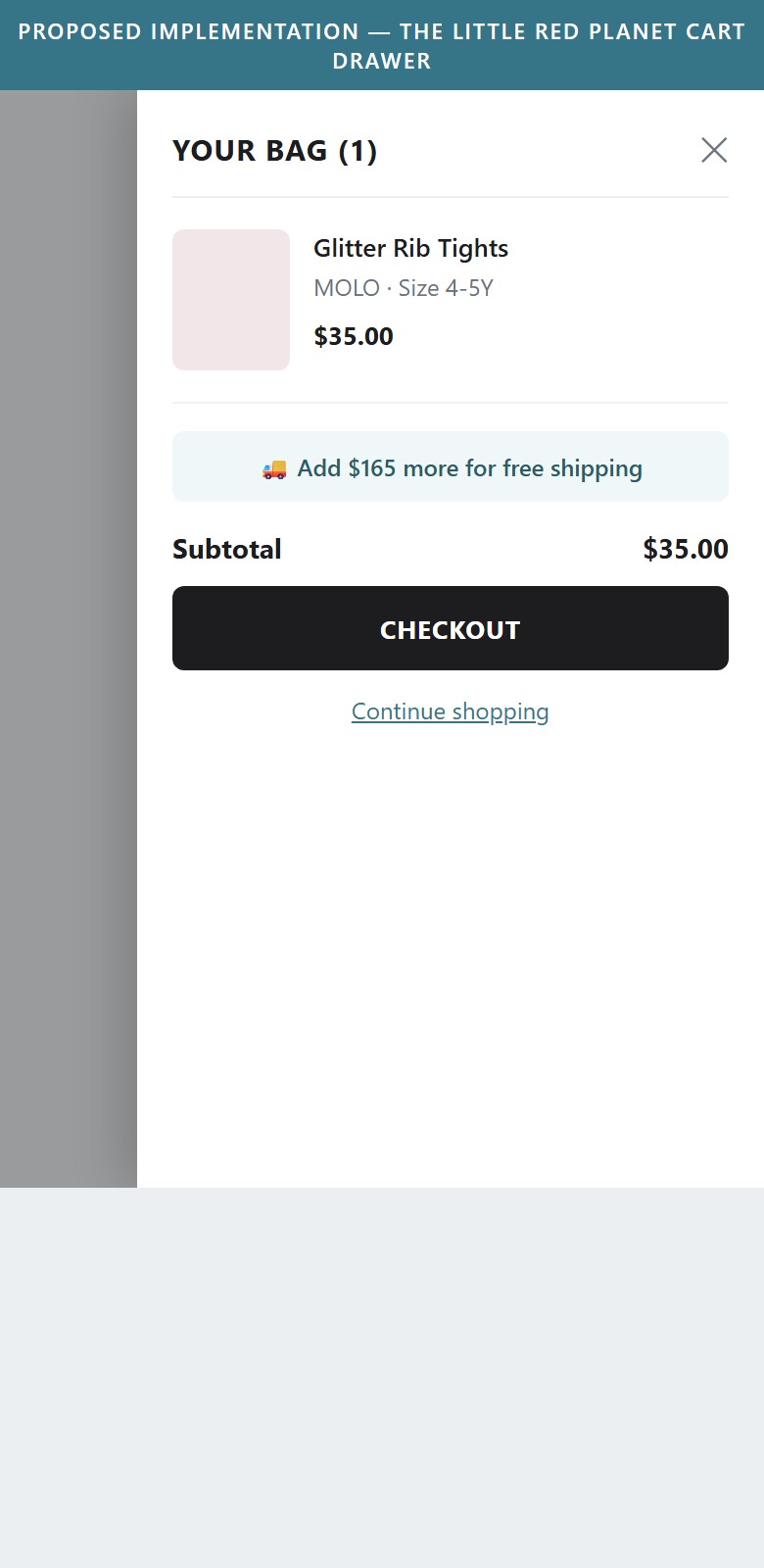
- Clicking Add to Cart on the PDP does not open a cart drawer or show any in-page confirmation — it performs a full-page navigation straight to the /cart page.
- This was confirmed by clicking Add to Cart multiple times in a row and observing the browser navigate to /cart each time, with the same item's quantity incrementing.
- A full-page redirect on every add-to-cart interrupts browsing — shoppers exploring the catalog (e.g. adding a few sizes to compare) are pulled away from the product grid every time, rather than staying in context with a lightweight drawer confirmation.
- Replace the full-page redirect with a slide-out cart drawer that opens on Add to Cart, showing the item just added plus a way to keep shopping.
- Use the drawer to also surface cross-sell recommendations at the moment of highest purchase intent, rather than only on the static /cart page.
App Ecosystem
What's installed vs what's missing from best-in-class Fashion stores
Present (10)
Missing (3)
App Stack Assessment
The Little Red Planet's app ecosystem is marketing-and-analytics-heavy (Klaviyo, GTM, GA4, Meta Pixel, Hotjar) but has a clear gap in the trust/social-proof layer — no reviews app is installed anywhere on the site. SellEasy (upsell) is present in the codebase but does not appear to be actively serving cross-sell content on the cart page during this audit.
Confidential — Prepared for The Little Red Planet by Growisto | July 2026